


Learn how to generate and use QR Codes to make form access faster and more convenient for users. QR Codes allow users to instantly access a form by simply scanning a code using their mobile device.
Instead of navigating through the platform, users can open and submit forms in seconds, making QR Codes ideal for on-site and field use.
What is a QR Code in Knowella?
A QR Code in Knowella is a scannable code linked to a specific form template.
When scanned:
- The form opens directly on the user’s device
- Users can start filling it immediately
This removes the need for manual navigation or searching.
Types of QR Codes
Knowella supports two types of QR Codes based on access control:
Public QR Code
- Accessible by anyone with the QR Code
- No login required
- Best for open or external use cases
Private QR Code
- Accessible only to logged-in users within your organization
- Requires authentication
- Best for internal or restricted workflows
Where can you add a QR Code?
QR Code settings are available in Step 3: App Settings during template creation.
Once your form structure is ready, you can generate and configure QR access from this step.
Steps to add a QR Code
Follow these steps:
- Log in to the Knowella platform
- Open App Builder
- Create a new template or edit an existing one
- Complete:
- General Information
- Build App
- Move to Step 3: App Settings
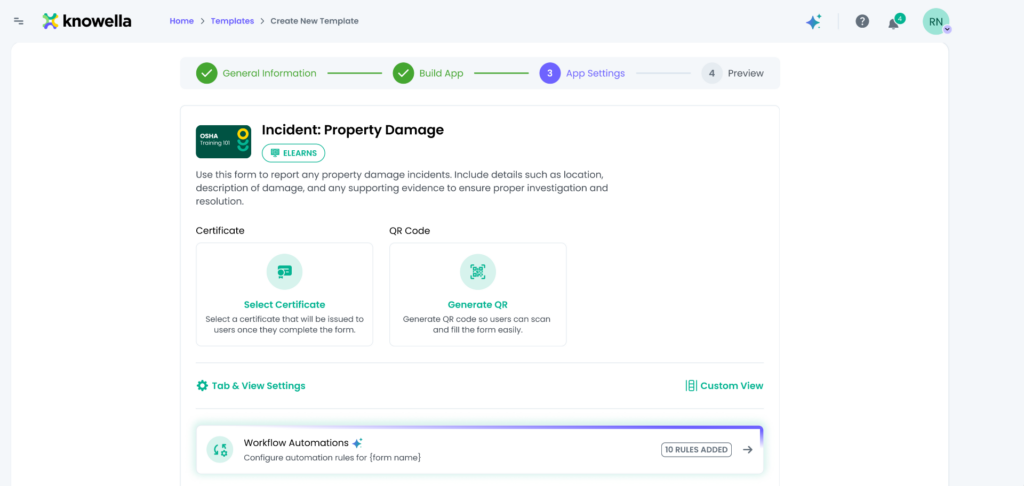
- Locate the QR Code section
- Click Generate QR
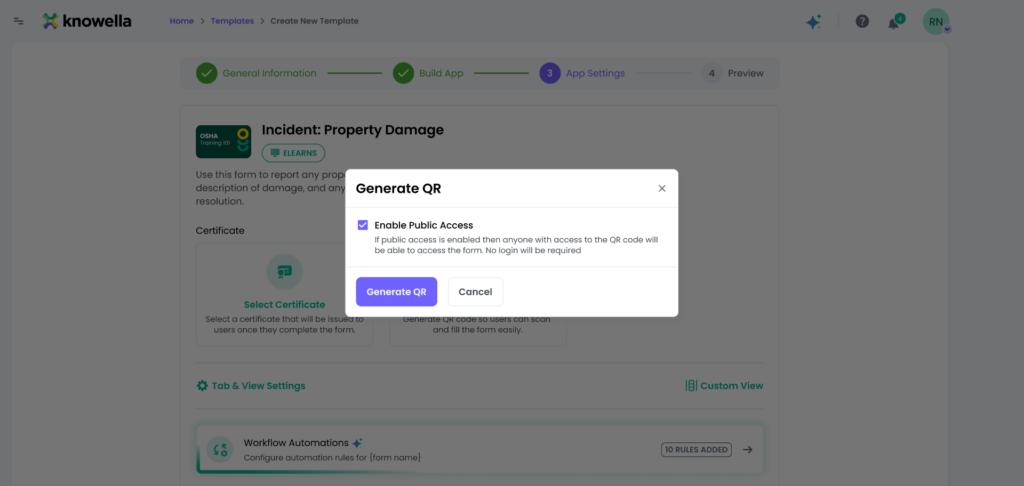
- Select the QR type:
- Public
- Private
- Save the settings
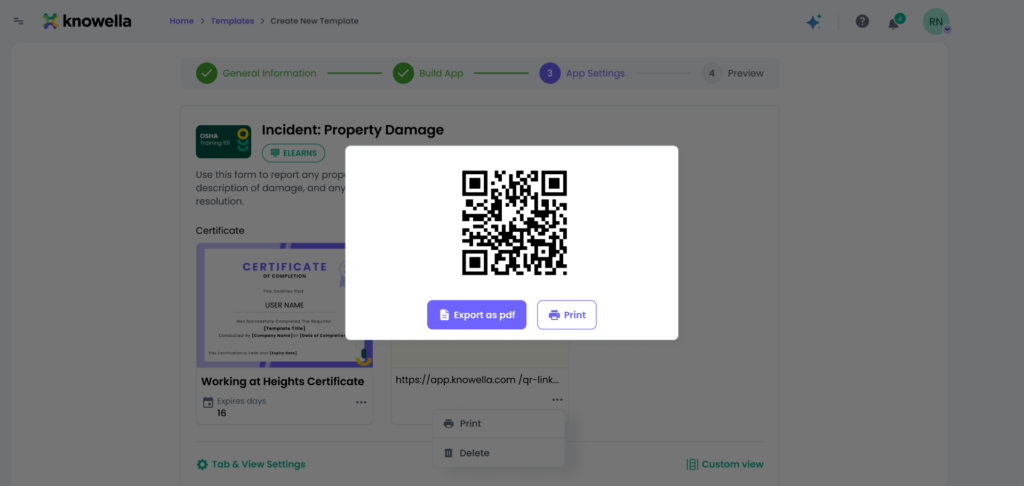
How does the QR Code work?
Once the QR Code is generated and the template is published:
- Users scan the QR Code using a mobile device
- The form opens directly in a browser or app
- Users can immediately start filling and submitting the form
Access depends on the QR type:
- Public: Open access
- Private: Login required
Common use cases
QR Codes are especially useful in real-world, on-site scenarios:
- Incident or damage reporting
- On-site inspections and audits
- Visitor or feedback forms
- Training or compliance data capture
Best practices
To use QR Codes effectively:
- Use Public QR Codes only for non-sensitive forms
- Use Private QR Codes for internal workflows
- Test the QR Code before sharing
- Place QR Codes in easily accessible physical locations
- Ensure clear instructions are available near the QR Code
Why this matters
QR Codes simplify access and improve adoption.
Using them helps:
- Reduce time to access forms
- Increase submission rates
- Enable real-time data capture in the field
Need more help?
If you need assistance with QR Codes or template settings, contact: support@knowella.com

