


Learn how to view, export, and download ergonomic reports in Knowella to analyze posture risks and improve workplace safety.
Viewing ergonomic reports is an important step after completing an ergonomic assessment. Reports help users understand posture risks, review visual data, and download documented evidence for analysis, compliance, or training. This article explains, in a simple and user-friendly way, how to view, export, and download ergonomic reports.
Step 1: Complete and Submit the Ergonomic Form
Before viewing any report, the ergonomic assessment form must be completed and submitted. This includes filling in required parameters such as posture details, assessment methods (REBA, RULA, etc.), and uploading the task video. Once submitted, the form data is stored and processed by the system.
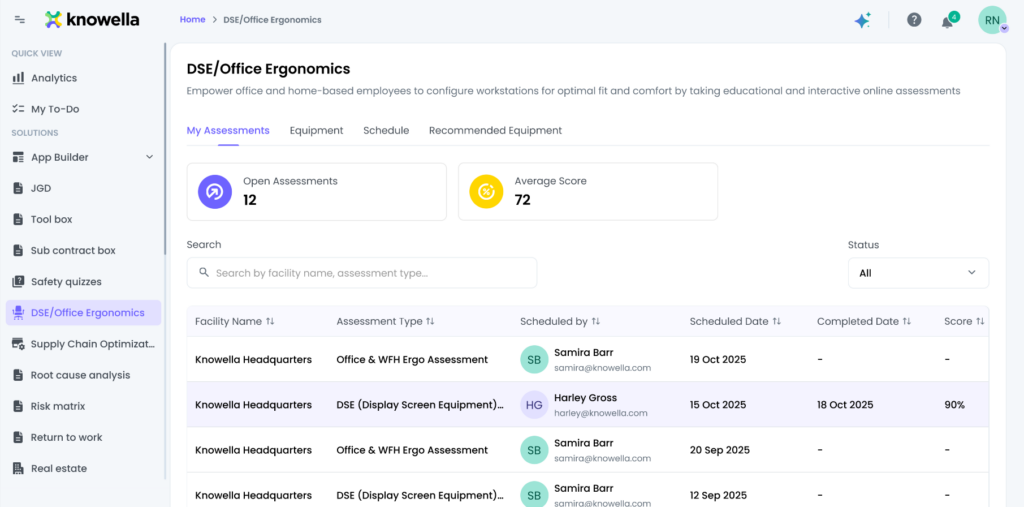
Step 2: Export the Ergonomic Form as a PDF
After submission, users can export the ergonomic form as a PDF. This exported PDF acts as an official record of the assessment and includes all entered form details such as user inputs, selected methods, and basic assessment information. Exporting the form ensures that the data can be easily shared or archived.
Step 3: View Detailed Ergonomic Report
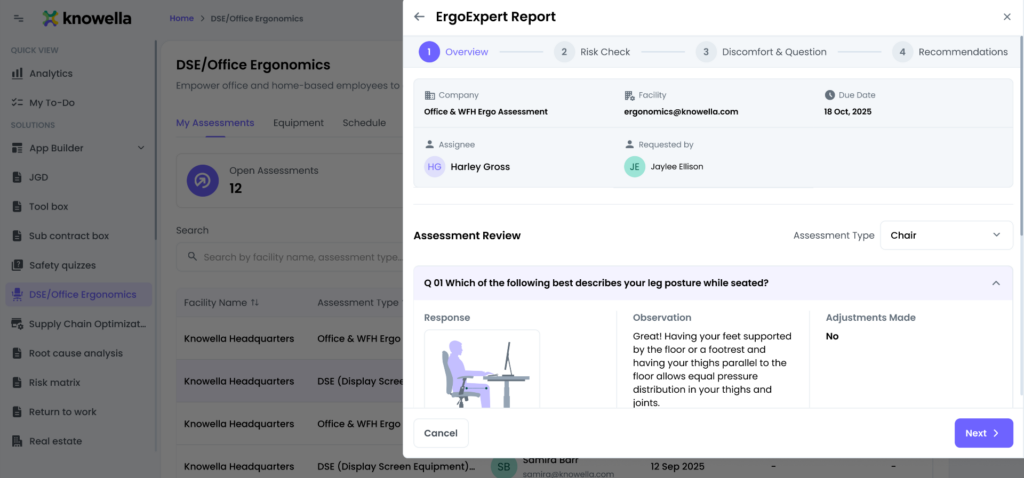
Once the form is exported or opened from submissions, users can view the detailed ergonomic report. This view combines form data with visual analysis results, allowing users to clearly see how the assessment was evaluated.
The report view includes:
- Complete form details submitted by the user
- Uploaded task video or captured screenshots
- Assessment parameters used during analysis
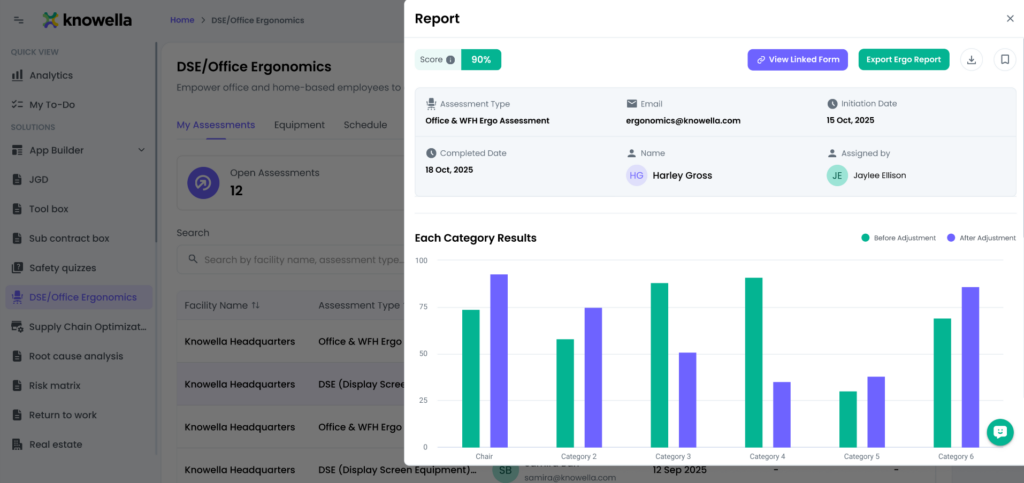
Step 4: Review Graphs and Visual Insights
Graphs play a key role in understanding ergonomic risk. Within the report, users can view graphical representations of posture scores and risk levels generated during the assessment. These graphs make it easy to identify high-risk postures and trends over time.
Depending on the assessment setup, graphs may show:
- Initial processing results
- Improvement analysis
- Comparison data between different assessment phases
Step 5: Download the Ergonomic Report
For documentation and sharing purposes, users can download the ergonomic report. Downloaded reports typically include form details, graphs, and assessment summaries in a single file format such as PDF. This makes reporting useful for audits, safety reviews, and management reporting.
Why Viewing Ergonomic Reports Is Important
Ergonomic reports help organizations:
- Monitor workplace risks
- Track improvements over time
- Ensure employee safety
- Maintain records for audits and compliance
- Support data-driven decision-making
Conclusion
By following these steps, viewing ergonomic reports becomes simple and efficient. Exporting forms as PDFs, reviewing graphs, and downloading reports allow users to fully understand ergonomic risks and take informed actions to improve workplace safety.
Need more help?
If you need assistance with ergonomic reports or analysis features, contact: support@knowella.com

